
Login Credentials:-
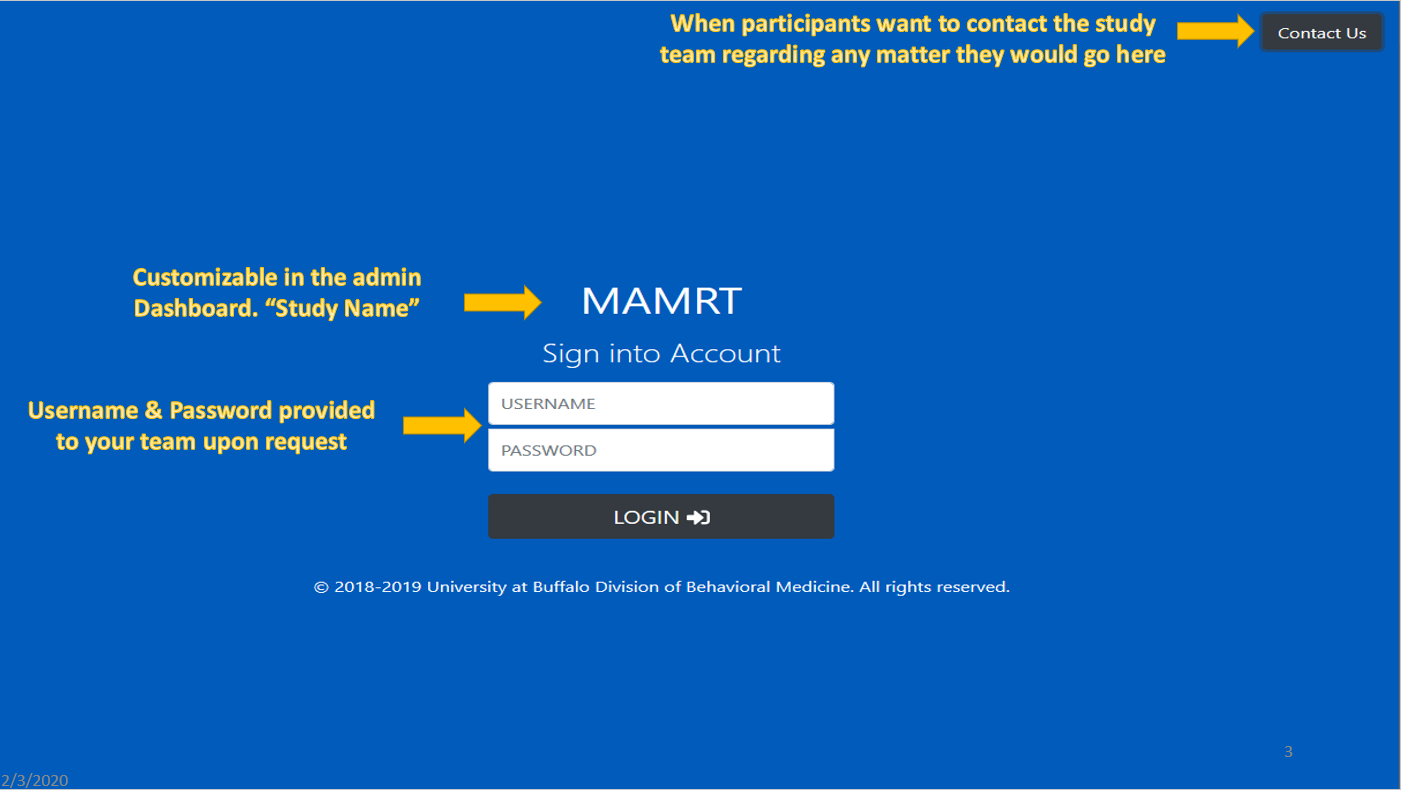
There are 2 credentials needed to login for administrators and participants:-
- Username : The username assigned to the admin or participant.
- Password: The password assigned by the study or admin.
The login page looks like:-
Default credentials for first time administrative access:
- Username: admin
- Password: admin
The first time administrators access their MAMRT site, they will be provided default credentials. For security purposes, these credentials will change after the first use, thus, it's important that at least one new administrators account is created immediately after logging in. A URL can be customized for individual studies. Contact the developer team to request your unique MAMRT space (ex: mamrt.med.buffalo.edu/studyname).
User roles:-
There are 2 different roles for users: Administrator & Participants. The access level for all three roles are also different.
- Administrator
- Having the highest access level
- Ability to modify the site and maintaining the site performance
- Ability to control the participants in the study i.e. able to remove/add participants.
- Able to export data to their own system.
- Modify the study questions.
- Participants
- Ability to answer the questions when prompted on the screen.
- No access to any data. |
- Ability to report bugs if needed.
Contact Us:-
- The Button can be found in the top-right hand corner of the Login page.
- It can be used by either the Administrator or Participant to contact the developer team.
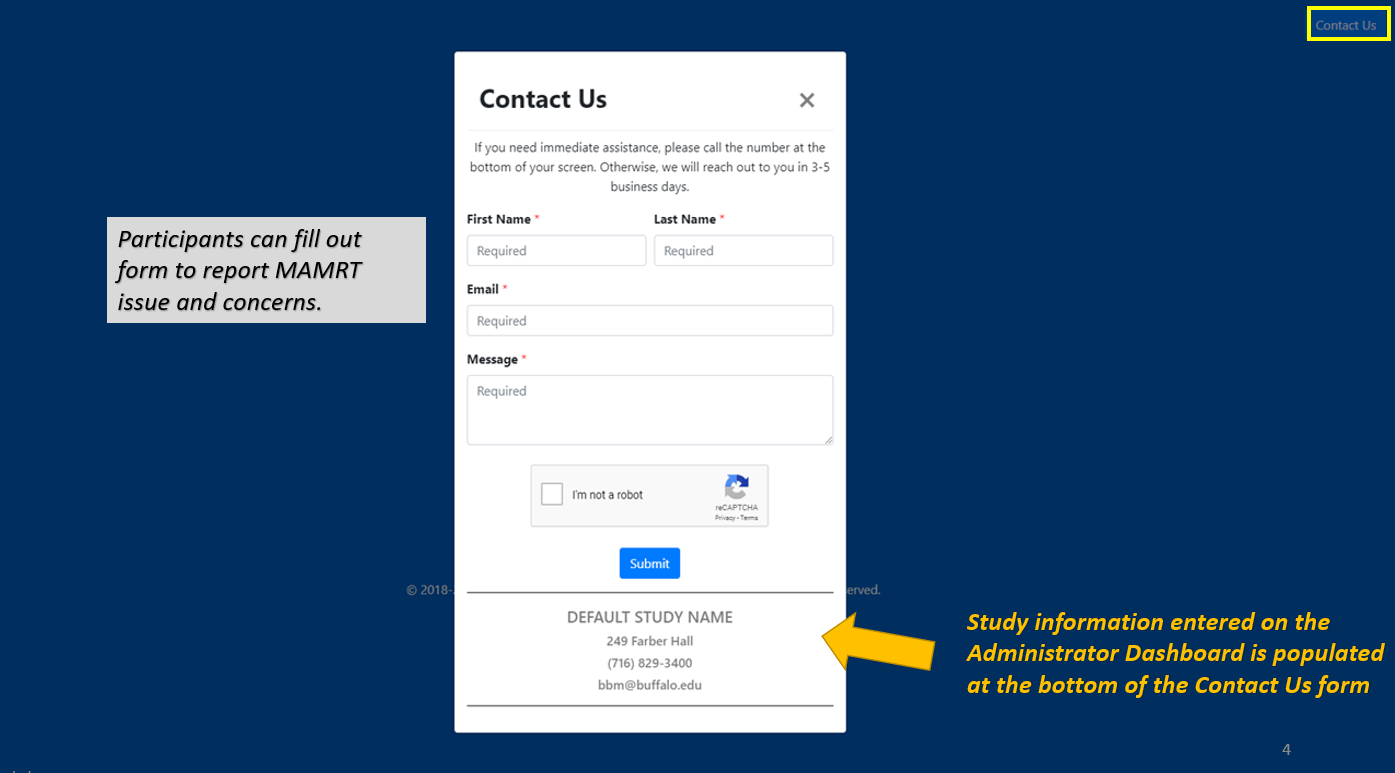
- The 'Contact Us' form looks like this:-
Note
Study information entered on the Administrator Dashboard is populated at the bottom of the Contact Us form.
Add Comment