
Login Prompts:-
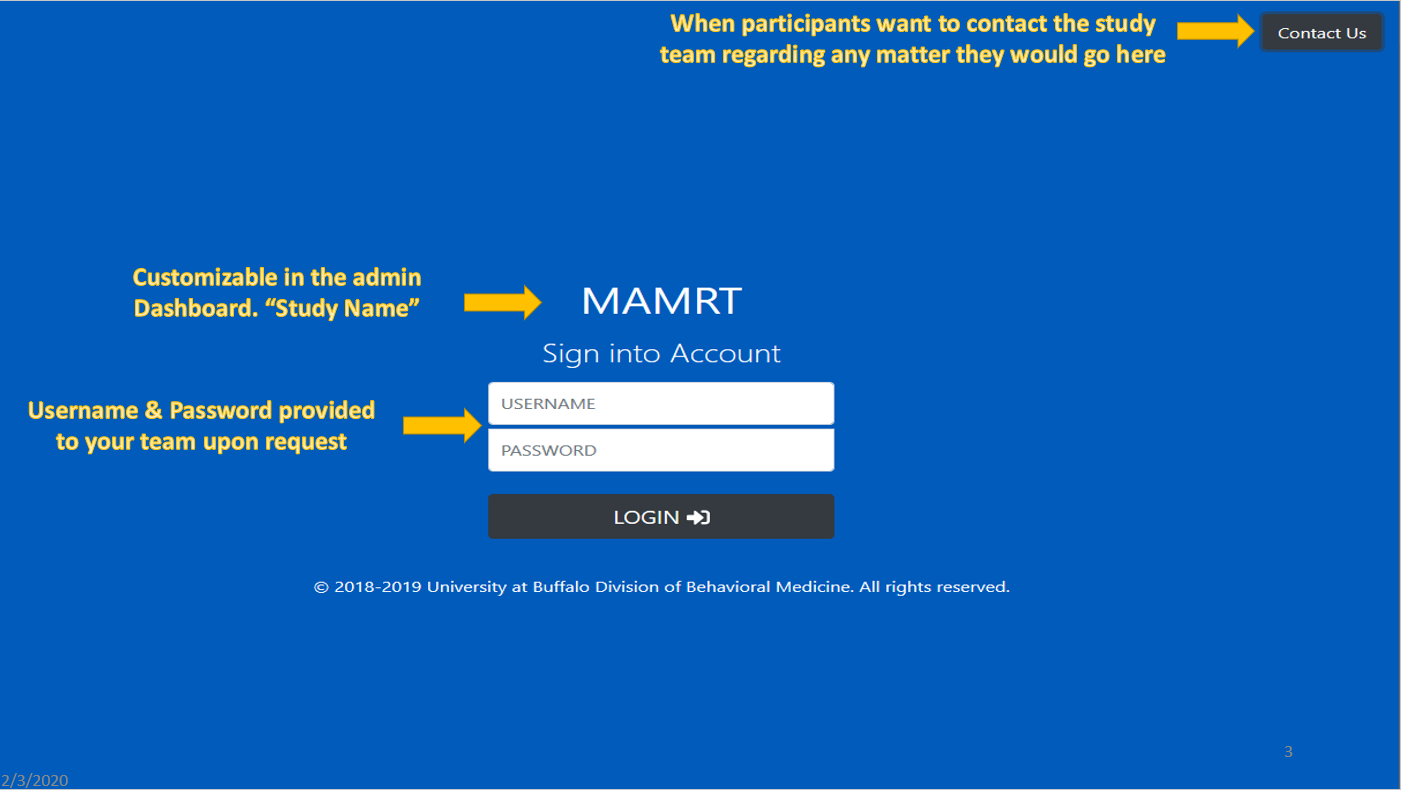
There are 2 Prompts on the login page for administrators and participants:-
- Username : The username assigned to the admin or participant.
- Password: The password assigned by the study or admin.
...
The login page looks like:-
First time login for administrators:-
Default credentials for first time administrative access:
- Username: admin
- Password: admin
Note:
|
|---|
User roles
There are 3 2 different roles for users: Administrator , Coordinators, and Staff/Students& Participants. The access level for all three roles are also different.
- AdministratorDeveloper Access
- Having the highest access level
- Ability to modify the site and maintaining the site performance
- Coordinator Access
- Having the second highest access level
- Ability to create participants, and studies
- Ability to delete participants and studies from Revolution Database
- Ability to search for participants and studies information
- Staff or Students Access
- Having limited access level
- Ability to create participants
- Ability to search for participants and studies informationcontrol the participants in the study i.e. able to remove/add participants.
- Able to export data to their own system.
- Modify the study questions.
- Participants
- Ability to answer the questions when prompted on the screen.
- No access to any data.
- Ability to report bugs if needed.